Tripo vs Meshy: The Best AI 3D Model Generator in 2026 — and Why Luma Genie Is Gone
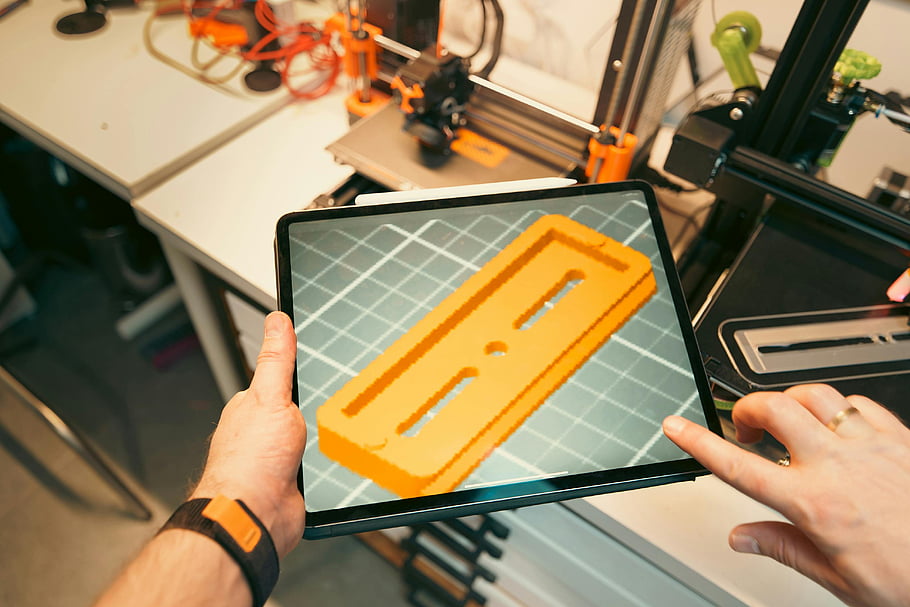
Photo: Hippopx (public domain). Illustrative image.
The short answer. If you want the most models for your money, Tripo wins. If you want the best-looking game assets, Meshy wins. And if you were planning to buy Luma Genie, stop — it no longer exists. Both Tripo and Meshy charge $20 a month for their Pro plans, but the credits behind that price are very different: Tripo gives 3,000 credits a month, about 200 models by its own estimate; Meshy gives 1,000 credits, up to 100 assets. At the free tier the gap is the same shape: Tripo gives 200 credits a month, Meshy 100, and both are non-commercial with attribution required. Prices below are as listed on each company’s official pricing page in October–November 2026; check the live pages before you pay, because these numbers move.
Tripo: fastest, cheapest per model, best free tier. Tripo’s pitch is speed and clean geometry: drafts in about 8 seconds, clean topology, and a Unity Bridge with auto-rigging for game developers. The plan ladder is Free at $0 (200 credits a month, about 13 models), Pro at $20 a month (3,000 credits, about 200 models, commercial use, private models, 10 concurrent tasks), Max at $90 a month (25,000 credits, about 1,660 models, 100 concurrent tasks) and Team at $110 a seat a month ($55 on annual billing). Exports cover FBX, GLB, USDZ, STL and 3MF, with Smart Mesh topology, multi-view to 3D, smart segmentation and a DCC bridge. Today’s news gives it a fresh edge: Tripo previewed its print-ready H3.5 model and the Polipop printing agent at Formnext, pointing the tool at physical objects as well as game assets.
Meshy: best for game assets, best textures. Meshy’s pitch is quality over quantity. Meshy 7.1, released 10 September 2026, generates geometry at 4096³ voxel resolution with raw meshes up to 80 million triangles, and the platform is consistently rated the best overall for game assets, with PBR textures and a 500+ animation library. The plan ladder is Free at $0 (100 credits a month, about 10 assets, downloads restricted), Pro at $20 a month (1,000 credits, up to 100 assets, private assets, API access, 10 concurrent tasks), Premium at $40 a month (3,000 credits, up to 300 assets), Ultra at $100 a month (8,000 credits) and Studio at $70 a month. A textured generation costs about 20–30 credits depending on the model — 25 with Meshy 7, 20 with Meshy 6, 10 with Meshy 6 Lite — and Meshy Edit, released 16 October 2026, rewrites a selected region from a text prompt in about a minute for 20 credits. DCC plugins cover Blender, Unity, Unreal, Godot, Maya, 3ds Max and Roblox.
The missing third: Luma Genie is gone. Anyone comparing AI 3D tools from older roundups will find Luma Genie listed as the photorealistic option — capture from video and photos rather than text-to-3D. As of 29 October 2026, lumalabs.ai/genie permanently redirects to Luma’s homepage, and no Luma plan includes 3D model generation; the plans cover video, images and creative agents only (Plus $30 a month, Pro $90, Ultra $300). Luma published no shutdown announcement, so there is no end date to quote — but there is no page where you can generate a Genie model today. If a comparison still lists Genie as a live option, it is out of date.
Which should you pick? For a hobbyist or a developer testing the waters, Tripo’s free tier gives twice the monthly output, and its Pro plan gives three times the credits for the same $20 — the better value on paper. For a game developer who needs PBR textures, rigging and a big animation library out of the box, Meshy’s polish is worth the lower credit count. For anyone who needs a physical object, Tripo’s new Polipop direction is the only one of the two pointing that way. And for anyone who built a workflow on Genie: the honest advice is to rebuild it on one of these two, because Luma has moved on to video. For the wider picture of how these tools fit into AI-generated media, see Veo 3.1 vs Runway Gen-4.5 vs Kling 3.0.
Sources
- Tripo pricing, as listed on tripo3d.ai/pricing (read October–November 2026; Free $0/200 credits, Pro $20/3,000 credits, Max $90/25,000 credits, Team $110 per seat)
- Meshy pricing, as listed on meshy.ai/pricing (read October–November 2026; Free $0/100 credits, Pro $20/1,000 credits, Premium $40/3,000 credits, Ultra $100/8,000 credits)
- Luma Labs — Genie status as of 29 October 2026: lumalabs.ai/genie returns a permanent redirect to the homepage; no Luma plan includes 3D generation (as reported by Snapshapy and SupaVoxel): https://www.snapshapy.com/vs/luma-genie
- Tripo AI / PR Newswire — H3.5 preview and Polipop at Formnext (17 November 2026): https://www.prnewswire.com/news-releases/tripo-ai-gives-a-first-look-at-its-upcoming-print-ready-generative-model-with-intricate-true-to-life-3d-printed-creations-at-formnext-302939775.html
- FreshSynapse — “Tripo AI Previews Print-Ready H3.5 Model and Polipop”: https://freshsynapse.com/articles/tripo-h35-polipop-3d-printing-agent-2026-11-17/
- FreshSynapse — “Veo 3.1 vs Runway Gen-4.5 vs Kling 3.0”: https://freshsynapse.com/articles/veo-3-1-vs-runway-gen-4-5-vs-kling-3-0-2026-11-14/